In retail, the drawing sets may not be large, but they demand meticulous coordination: every finish, fixture, and schedule counts. We started integrating AI into quality control (QA/QC) with a clear goal: catch early what used to slip through. What started as a test is now daily practice.
The context: two weak spots
We didn’t start with the technology. We started with two daily tasks that kept slowing us down:
# In schedule QA/QC. The PDF set alone doesn't show whether an element from a given phase is reflected in its schedule, which the client later uses to execute the project. As a result, any omission only surfaces in the field as an RFI. That leads to added costs and delays or, in the worst cases, parts of the design that never got built because they weren't in the original budget or there wasn't enough time.
# The final QA/QC PDF set. With several stores running simultaneously, manually reviewing full sets takes a lot of time. We repeat the same corrections, and the criteria in the first review don't match those in the last.
Our approach
For the first case, since the check had to happen inside the model, we connected Revit to Claude through Nonica (the MCP connector that lets you query the active model). Using a saved prompt, we asked it to identify every element created in Phase "New" that didn't appear in the schedules on a specific sheet. We started from all model categories and excluded those that didn't apply.
For the second situation, our main goal was to make full-set reviews faster and keep the criteria consistent, no matter who does the review. So, we created a "Master Prompt": a document that captures our documentation standards, what to check on each sheet, and how we want the report delivered.
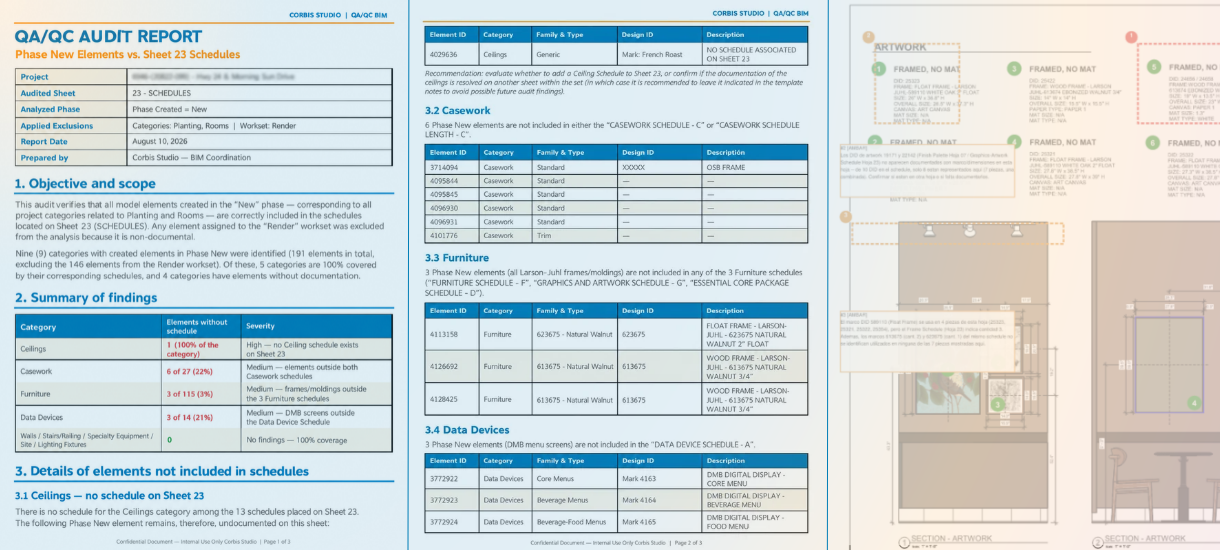
The results
In the schedule audit, the deliverable was an AI-generated PDF listing inconsistencies by category and element count. We then reviewed each case, resolved it, and added new schedules if needed. Before implementing AI, this process typically took 3 hours. With AI, the check takes approximately 30 minutes in a well-organized model, significantly improving efficiency and reducing review time.
In the full-set QA/QC, we received a PDF with corrections and comments on every sheet. We then uploaded it to Bluebeam, reviewed it, and addressed each item.
The result: we went from 8 to 4 hours of review per set, while reviewing 100% of the sheets with the same level of detail. We also had fewer RFIs and vendor questions during Construction Administration.
Conclusion
A process like this only adds value if it goes beyond the person who created it. Today, different team members use it, and each of us adds our findings and criteria to the Master Prompt. At its core, it's the same logic AI is built on: its potential comes from the combined knowledge of many people. For us, that's collective intelligence: the more we contribute, the more accurate the results become for everyone.
AI came to help us evolve. The challenge isn't competing with it, but learning to use it so we can focus on the areas where our experience truly add value.
That means AI doesn't replace the review; it adds structure. Every finding still goes through our judgment before it becomes a correction. Integrating AI into our work goes beyond adding another tool: it helps us be more efficient, automate repetitive tasks, and find new solutions.
References

